Markup on cost price
If you work with markup % on your cost prices, then this module is just for you.
Enterprise Online .sh
Markup on cost price
Avoid spreadsheets and manual calculations.
Set a markup % on the product category, the product, or the sales order. Odoo will take care of the rest.
Versions
19.0
18.0 17.0 16.0
WOULD YOU LIKE TO BE CALLED REGARDING THIS MODULE?
Automatic markup on cost price in Odoo
Avoid spreadsheets and manual calculations. Set your fixed percentage markup on the product card, and let Odoo calculate the correct selling price the moment the purchase price changes..
- Ensure healthy margins: Your selling price adjusts automatically, so you never sell at a loss.
- Eliminate typing errors: No manual calculations or risk of costly typing errors in Excel.
- Quick price adjustment: Update your prices in a flash in line with market price increases.
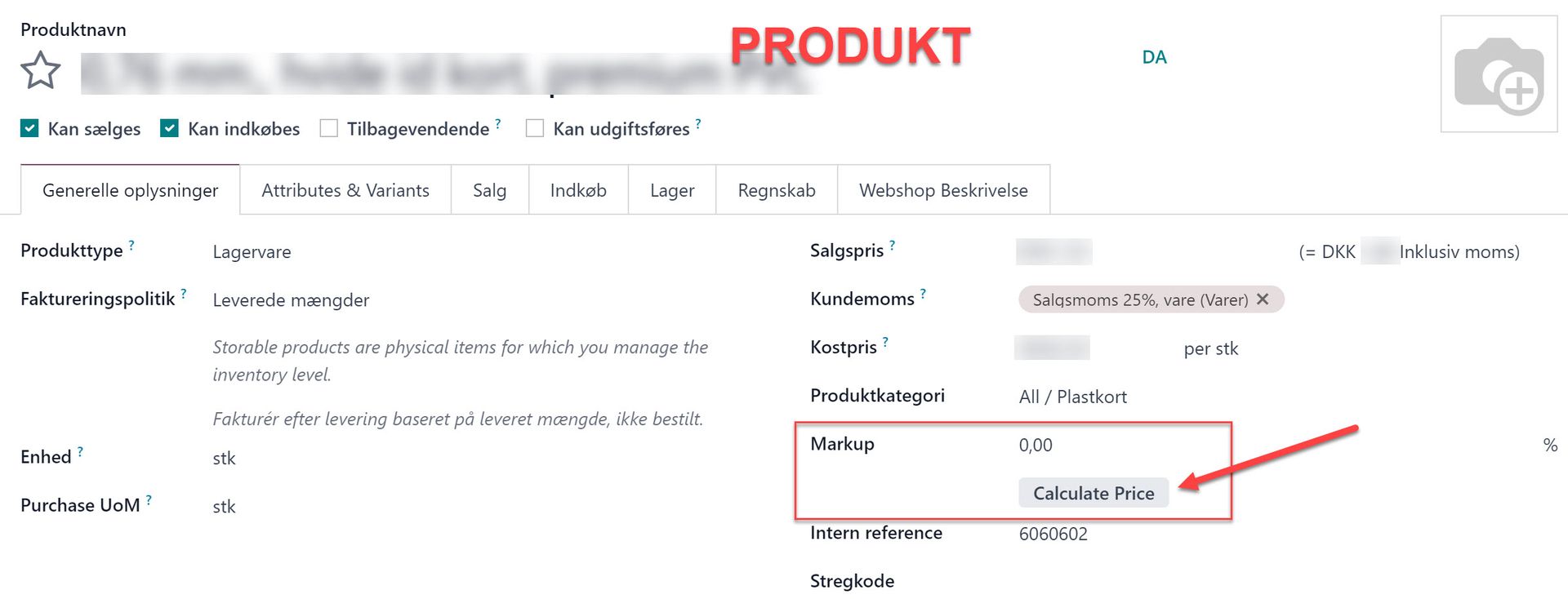
Setting on the product
Specify a fixed markup% on the product, and update the selling price with a single click.
Setting on product category
Set a markup% on the product category. This is applied to the products unless otherwise specified on the product.

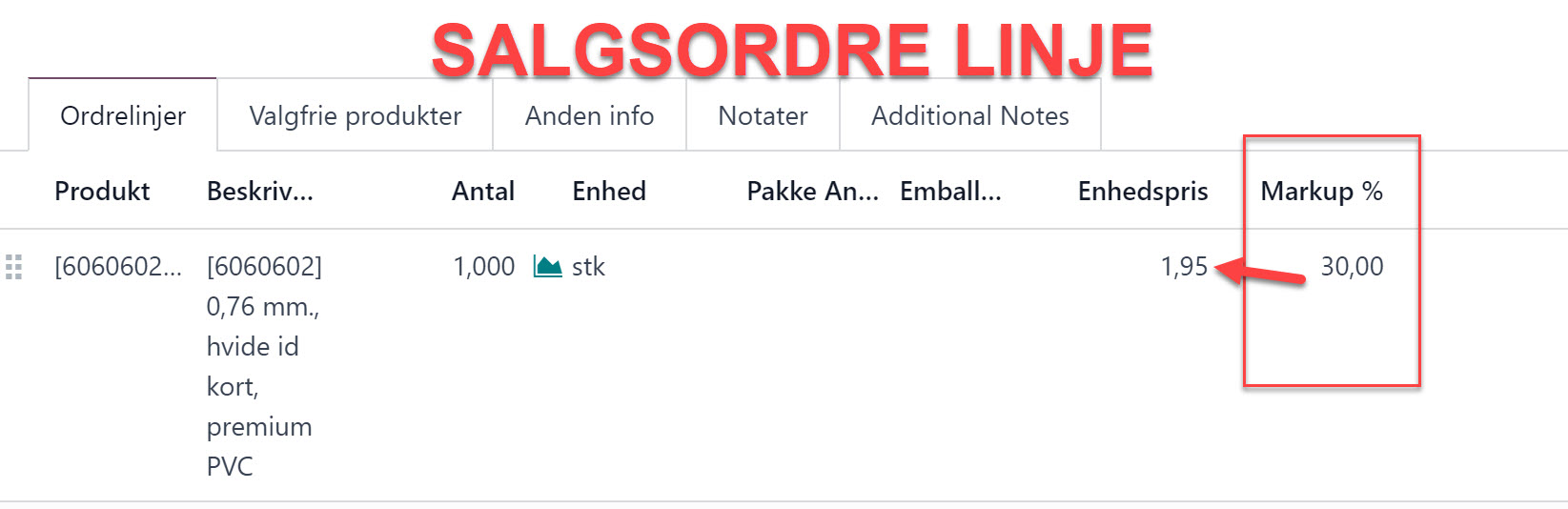
Setting on sales order
Adjust the selling price by changing the markup% on the line item of a sales order.
Is your business wasting time on manual price calculations in spreadsheets?
- Lost margin: If the cost price rises with your supplier, but your selling price is not proactively updated, it directly eats into your bottom line.
- Unnecessary time consumption: Exporting data to Excel, recalculating prices manually, and uploading them back to Odoo takes time that could be spent on sales.
- Human errors: One wrong formula or typing error in a spreadsheet can mean that goods are sold below cost price without your knowledge.
Automated price management: How the "Markup on cost price" module works
With VK DATA's specially developed module for Odoo, your pricing becomes 100% automated. You only need to define your desired markup (percentage profit) once directly on the product – the system takes care of the rest.
Key features of the module:
Dynamic price calculation: If there is a change in the cost price (e.g. due to a new purchase or update from the supplier), the module recalculates the selling price immediately based on your formula.
Flexible control per product or category: Set fixed rules across entire product categories, or override the markup individually on each product.
Seamless integration: The module communicates directly with Odoo's standard purchasing, inventory, and sales modules. No heavy integrations or complicated setups.
Frequently asked questions
Here are some frequently asked questions about our company.
Standard Odoo price lists are great for customer-specific discount agreements, promotions, and currencies, but they are often unnecessarily complex to set up for simple, internal profit calculations. This module allows you to manage your markup directly on the product card. This means that your primary selling price in the database is always updated without the need to build and maintain intricate price list structures.
Yes, our modules are continuously updated and quality assured to fit the latest Odoo versions (both Community and Enterprise). As VK DATA is Denmark's most experienced Odoo partner, we always ensure a stable transition. Contact our specialists to confirm compatibility with your specific Odoo version.
Yes, the module is completely flexible. You can define standard markups for specific product categories (e.g. 35% on accessories and 15% on hardware), but you can always manually override the markup on individual products if a specific item requires a different margin.
The module takes your currency conversions into account in Odoo. The sales price in your default currency will always be recalculated correctly based on the applicable cost price converted to your base currency, so your margin remains intact.